Init
Important
Where you discover why a brand new repository already contains 2 commits.
jj git init adds Jujutsu to an existing Git repository. If there
isn’t one, it creates it.
Let’s start an empty repo:
jj git init
Initialized repo in "."
Hint: Running `git clean -xdf` will remove `.jj/`!
Multiple backends
Why isn’t it just jj init? Jujutsu is modular and supports different
storage backends. We’ll stick with Git, so never mind.
Won’t jj and Git clash?
Relax. Jujutsu lives in the hidden .jj directory, which Git
ignores. You probably noticed the hint:
Hint: Running `git clean -xdf` will remove `.jj/`!
It makes sense: git clean deletes ignored directories.
jj git also offers sub-commands like jj git clone and jj git fetch1.
Want To Remove Jujutsu?
Delete .jj and Jujutsu is gone2.
Log
Try a git log:
fatal: your current branch 'main' does not have any commits yet
As expected. Git shows no history without commits.
What about jj log?
@  x           empty
◆  z       🔒   empty
Jeez! Where Git fatally errors out, Jujutsu shows 2 Changes! How?
The Origin of Time
Let’s inspect z:
jj show z
Commit ID: 0000000000000000000000000000000000000000
Change ID: zzzzzzzzzzzzzzzzzzzzzzzzzzzzzzzz
Author   : (no name set) <(no email set)> (1970-01-01 02:00:00)
Committer: (no name set) <(no email set)> (1970-01-01 02:00:00)

    (no description set)
zzzzzzzzzzzzzzzzzzzzzzzzzzzzzzzz looks like a Null Object
Pattern: it is the
“root Change”, the black hole every repository originates from. In
Git, it’s implicit, meaning orphaned
branches
need special commands. Not in Jujutsu: zzzz is a loving parent,
giving every orphan a home.
Fine, zzzz makes sense. What about the Change on top of it? This requires a bit of theory.
Collapsing areas
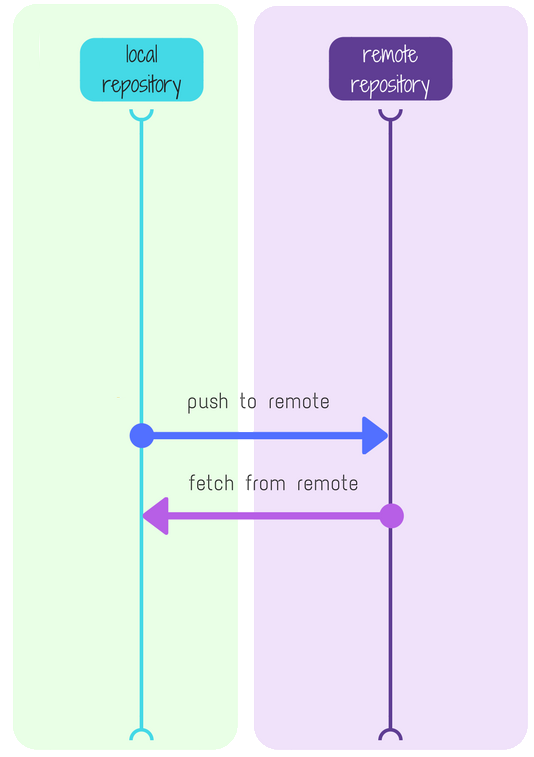
One way to understand Git is visualizing its distinct areas and how commands operate on them3:
In Jujutsu, stash, index, working area, and local repository all collapse into a single area:
The @ in:
@  x           empty
◆  z       🔒   empty
represents the current file system. But it’s also a commit in your repo. The two just happen to be the same.
Why is it already there? Well, when you run git init, the empty
working copy already existed: it’s only fair this is reflected in the
log.
What’s inside x?
Is x similar to zzzzz? What does it contain?
Warning
How can you find out?
Tip
If you guessed
jj show, good job!jj show xCommit ID: cb39db5ba245a72667c7bbd055b625e9522b74f8 Change ID: xmvkoxkuvlrynmwooqtrxtxptmswruqq Author : Arialdo <arialdo@ik.me> (2026-06-09 16:10:17) Committer: Arialdo <arialdo@ik.me> (2026-06-09 17:44:18) (no description set)
It’s descriptionless and empty, but it’s a legit commit with its own
SHA1 (cb39db5). Git itself acknowledges it as real:
git show cb39db5
commit cb39db5ba245a72667c7bbd055b625e9522b74f8
Author: Arialdo <arialdo@ik.me>
Date:   Tue Jun 9 16:10:17 2026 +0200
Basically, you’ve already committed! Curious how to do it deliberately next time?
-
In practical terms, using
gitorjj gitis essentially the same;jj gitjust adds a touch of extra safety, e.g. it won’t create new branches unless you explicitly ask. ↩ -
Strictly speaking, Jujutsu leaves behind internal refs, that you can clean with
git for-each-ref --format='delete %(refname)' refs/jj/ | git update-ref --stdin. ↩ -
Image by @pabloulloacastro - https://medium.com/@pabloulloacastro/software-en-equipo-git-stash-3e6adbea821c ↩